Agent Hub
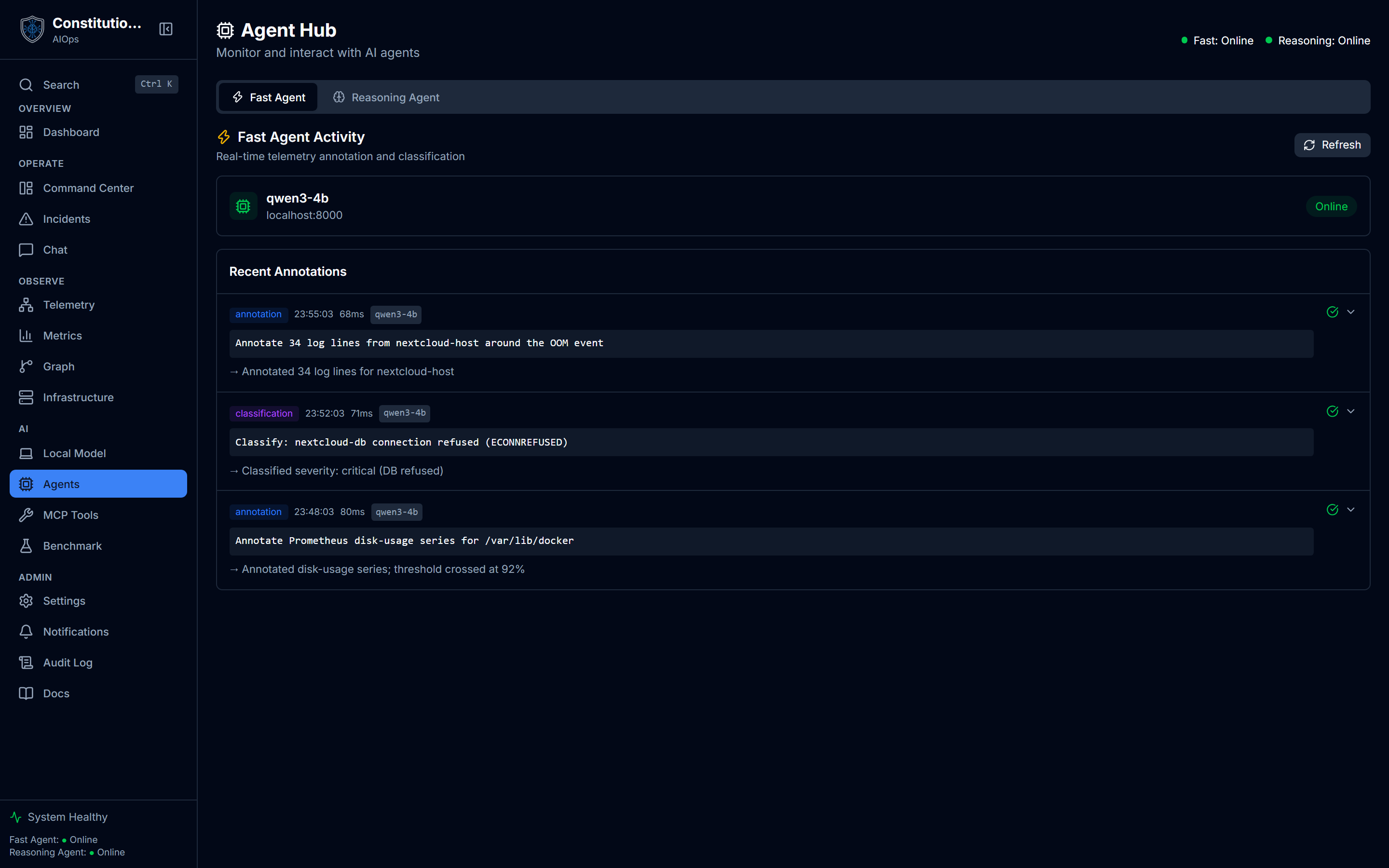
Agent Hub shows the two agents behind the platform, fast and reasoning, each with its own status card and a stream of what it has recently processed.
What you see
- A header status row with two dots (green/red) showing whether the fast and reasoning agents are online, from the periodic health check.
- Two tabs: Fast Agent (telemetry annotation and classification) and Reasoning Agent (root-cause analysis, planning, and chat sessions).
- An agent status card per tab, showing the configured model name and its endpoint as an honest
host:port(or just the hostname for a remote endpoint like Bedrock, which has no local port to show). - An activity stream per tab: recent items with a type badge (annotation, classification, rca, chat, planning, action), a timestamp, latency in milliseconds, and the model that produced it.
- Expandable rows. Collapsed, a row shows the first line of input and a one-line summary of the output. Expanded, it shows the full input and the full output rendered as JSON when it parses as JSON.
- A success/error indicator per activity item.
How to use it
- Check the header dots first to see if either agent is offline before digging into activity.
- Switch tabs to see what each agent has actually been doing: the Fast Agent tab is annotation/classification traffic, the Reasoning Agent tab is RCA, planning, and chat.
- Expand a row to read the full input the agent received and the full output it produced, instead of just the truncated summary.
- Watch latency on each row. A rising latency on the reasoning agent specifically is usually the first sign of a slow or overloaded endpoint.
- Refresh either tab's activity stream on demand with its Refresh button.
Reading the summary line
A collapsed activity row tries to show something meaningful instead of raw JSON: it looks for a summary, root_cause, plan_name, or reasoning field in the output and shows that, or falls back to a severity/category pair, or finally just the first 120 characters of the raw text if none of that parses.
Inside an activity row
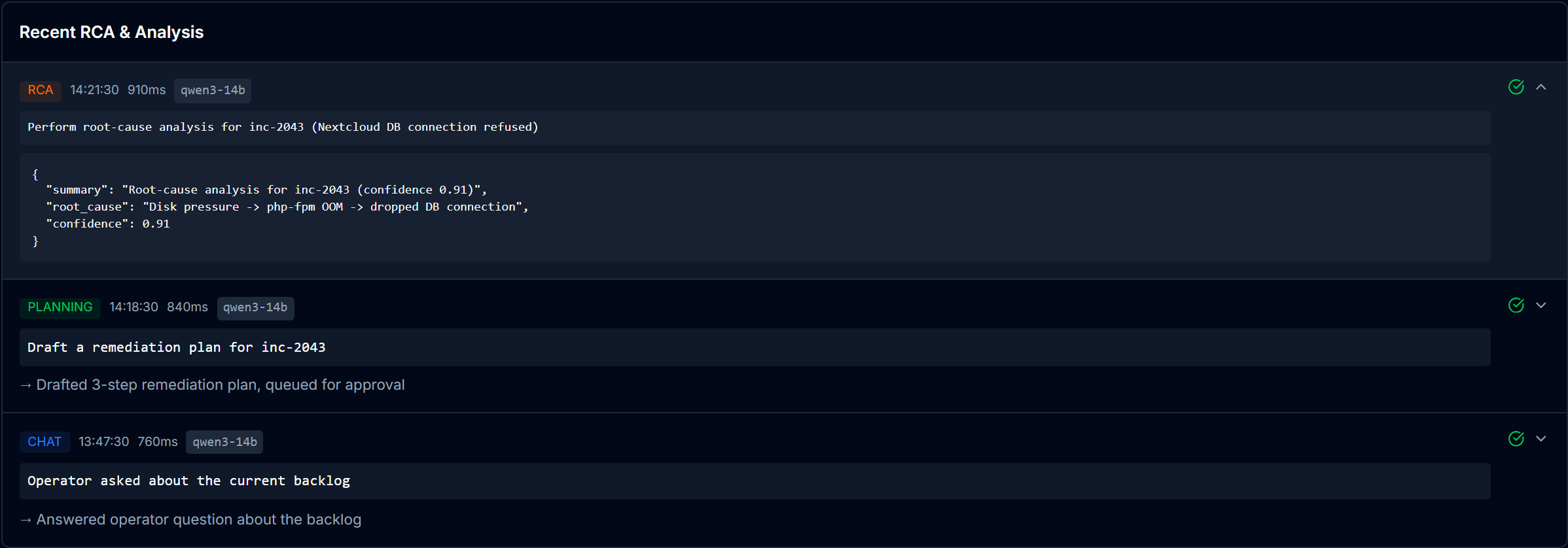
Click any row to open it. The collapsed summary gives way to the full input the agent received and the full output it produced, rendered as JSON when it parses. Here a reasoning-agent RCA shows the prompt it ran, then a result carrying the root cause and a confidence score, with the type badge, latency, and model chip still on the header. The rows below stay collapsed, so you scan the stream and open only the one you care about.
One endpoint, two roles
The fast and reasoning agents are conceptually separate: one built for quick telemetry annotation, one for deeper reasoning and planning. But they do not have to point at different infrastructure. In Settings → Models, you can enable "Use the same endpoint and model for both agents," which is the minimal setup for a bring-your-own endpoint: one URL, one model, both roles.
When an agent shows no activity
An empty activity stream just means nothing has been processed through that agent yet, not that something is broken. The page distinguishes this from an actual load failure: a failed fetch also renders as an empty list, but the Online/Offline badge above it is the real signal to check first.