Incidents and RCA
The Incidents page is the record of what went wrong, what the reasoning agent concluded, and how sure it was. It is where root-cause analysis lands.
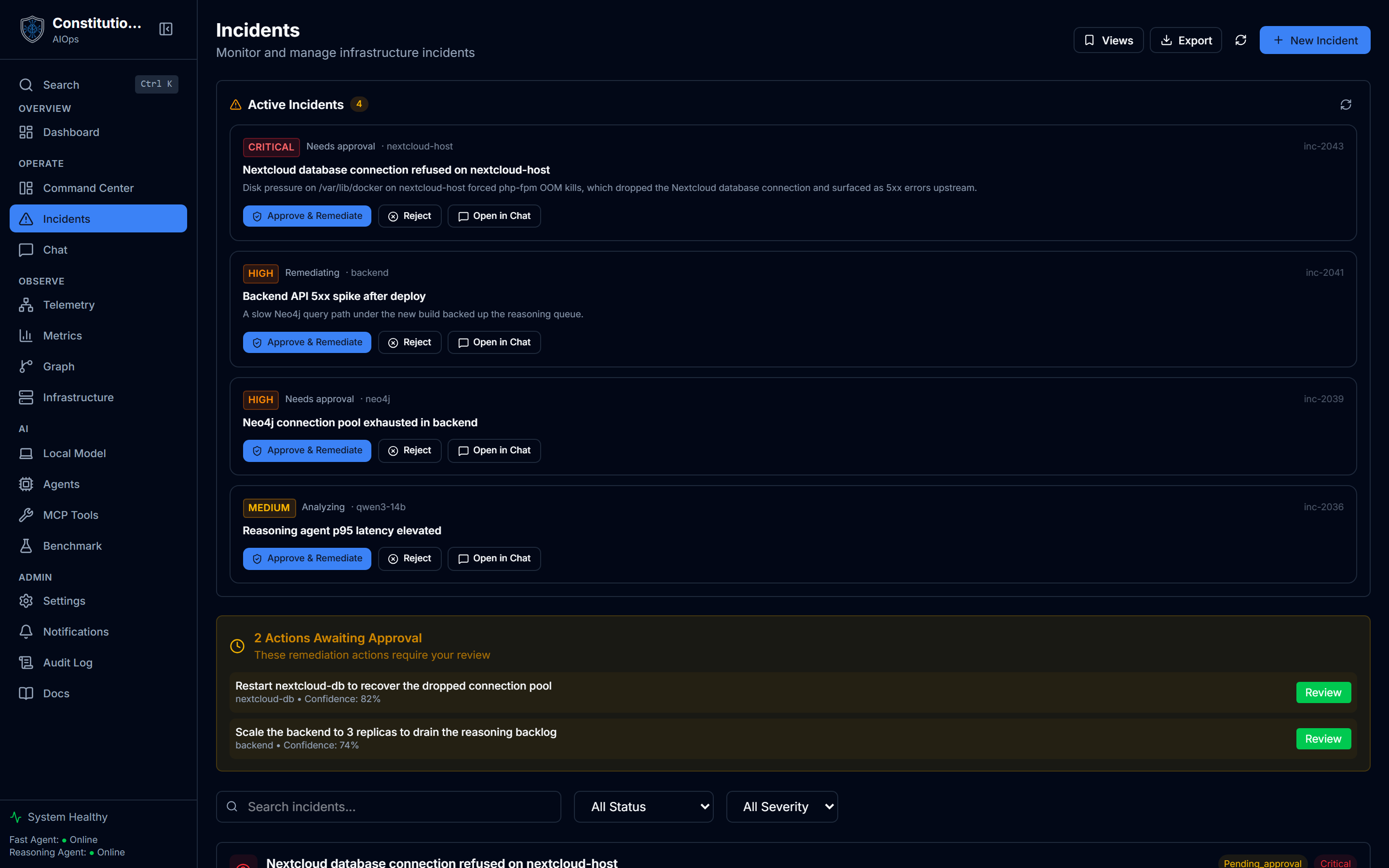
What you see
- The incident list, each row carrying a title, severity, status, category, the affected services, and tags.
- A confidence score on the analysis, shown as a percent. When a score is absent or not a number the UI shows
n/arather than a brokenNaN%. - Filters to narrow the list down to what you care about right now.
- Export, to take the currently filtered incidents out as CSV or JSON. Nested fields like services and tags flatten to a readable joined string.
How to use it
- Filter to the incidents that matter by severity, status, or category.
- Open an incident to read the root-cause detail: what the reasoning agent found, the affected services, and the proposed remediation.
- Read the confidence before acting. A high-confidence analysis with a low-risk fix can move quickly. A low-confidence one is a prompt to look closer, not to auto-approve.
- Export the filtered set as CSV or JSON for a report or a hand-off.
Inside an incident
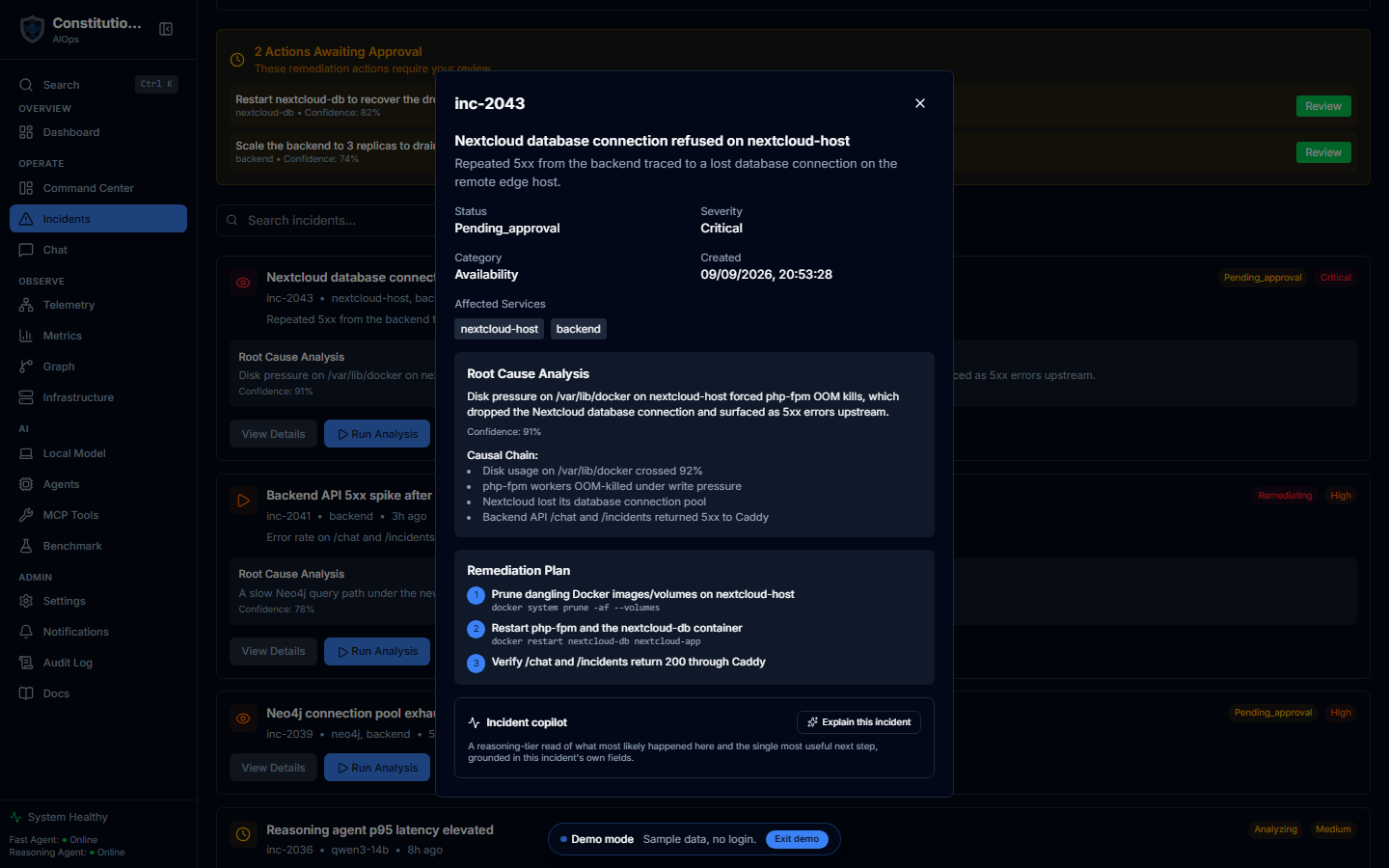
Opening an incident shows the full record in one panel:
- The header facts: status, severity, category, when it was created, and the affected services.
- Root-cause analysis with its confidence, plus the causal chain the reasoning agent reconstructed step by step, from the first symptom to the downstream failure.
- A remediation plan as ordered steps, each with the exact command, so the fix is reviewable before anything runs.
- The incident copilot, an on-demand reasoning-tier read of what most likely happened and the single most useful next step, marked as a model-generated hypothesis rather than measured data.
A remediation that needs a human lands in the approval queue with its confidence attached, so you review the proposed action, not just the incident.

How confidence connects to action
The confidence score is not decoration. It feeds the authorization matrix from Constitutional Safety: high-confidence low-risk actions can be audited and proceed, uncertain ones wait for a human, and low-confidence ones only raise an alert. So the percent you read on an incident is part of what decides whether a remediation runs on its own or waits for you.
Related
- Graph Explorer shows the same incidents as nodes, linked to their root causes, actions, and services.
- Dashboard surfaces the Live Incident Narrative as an incident unfolds.