Chat and Assistant
The Chat page is where you ask questions about your system in plain language. The same conversation experience is embedded in the Console cockpit, so what you learn here applies there too.
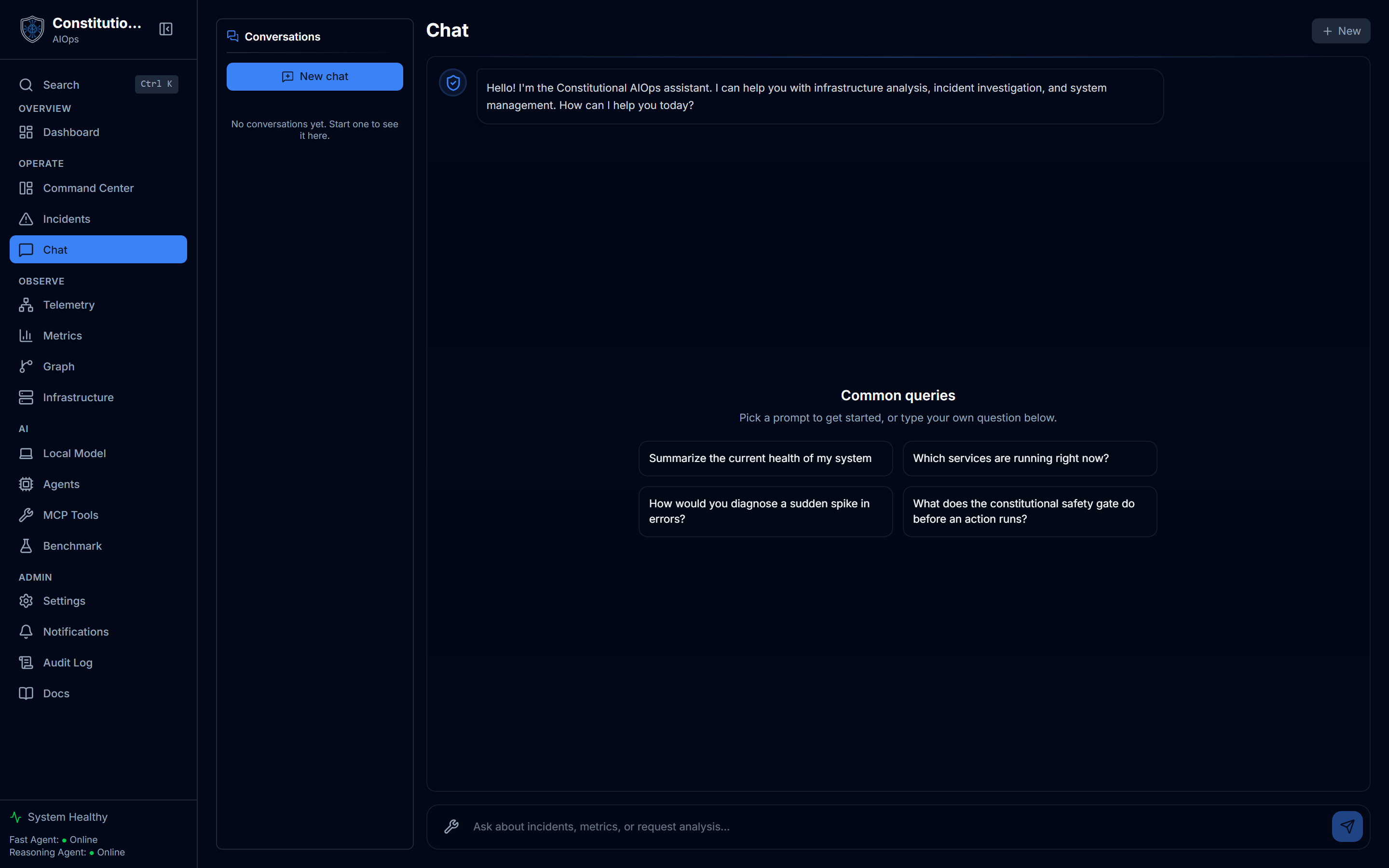
What you see
- The conversation pane in the center, where you type a question and read the reply.
- A history sidebar listing prior conversations so you can pick one back up.
- Suggested prompts to get started when you are not sure what to ask.
- Live service cards on the empty state, one per service in your topology, each with a live CPU sparkline. Clicking a card prefills a scoped "diagnose this service" question rather than sending it, so you stay in control.
How to use it
- Ask a question about your infrastructure, an incident, or a metric. Natural language is fine.
- Read the reply. The assistant answers from your system's real context, not from generic knowledge alone.
- Follow up. The conversation keeps context, so you can drill in without restating everything.
- Reopen a past thread from the history sidebar to continue where you left off.
What an answer contains
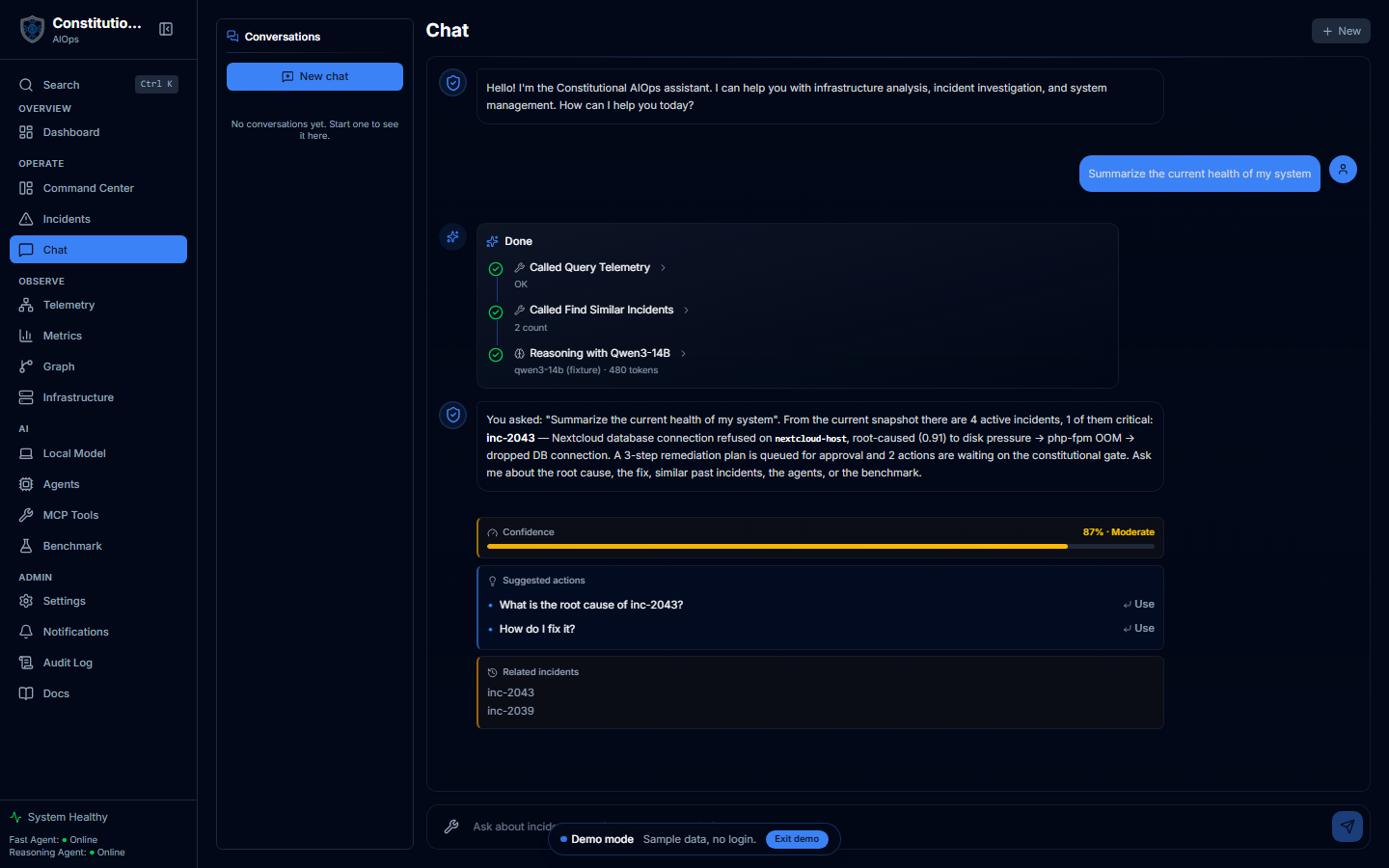
A reply is more than a block of text. The assistant shows its work:
- A tool-call timeline at the top of the answer. Each step names the tool it ran and the result, so you see the telemetry query, the similar-incident lookup, and the reasoning pass that produced the answer. On a streaming endpoint these fill in as they happen, so a long answer is never a blank wait.
- A confidence bar, scored and labeled. This is the same score the authorization matrix reads, so a low reading is your cue to look closer before acting.
- Suggested actions you can send as the next question in one click. They fill the composer and never fire on their own.
- Related incidents the answer drew on, linked so you can open the full record.
The answer above is grounded in the demo's own data: it names the critical incident, its root cause, and the remediation waiting for approval, rather than answering from generic knowledge.
The constitutional gate is in the loop
Chat is not a bare model wrapper. When a conversation leads toward an action, the same constitutional validator that governs the rest of the app applies. A high-confidence, low-risk action can be audited and proceed. An uncertain one waits for human approval. A low-confidence one only raises an alert. See Constitutional Safety for how the twelve principles and the authorization matrix decide.
Deep links
Chat accepts hand-off parameters so other pages can send you here with context already loaded. A ?ask= parameter pre-fills a question, and a ?conversation= parameter opens a specific thread. This is how a selection in the Console or a widget can continue as a conversation.
Options when you have no server endpoint
If you have not configured an OpenAI-compatible endpoint, you can still try the assistant with the in-browser local model. It runs entirely on your device via WebGPU and sends nothing to our servers. See Generative UI for how the local option works and its trade-offs.
Set an endpoint for full answers
Server-side chat needs a configured endpoint. If a regular tenant lands here without one, the app routes them to setup first so a request cannot fail with a 400. Configure yours in Bring Your Own Endpoint.