Console
The Console is the cockpit. It puts the platform topology and the assistant on one screen, so you can look at your system and ask about it in the same place without switching pages.
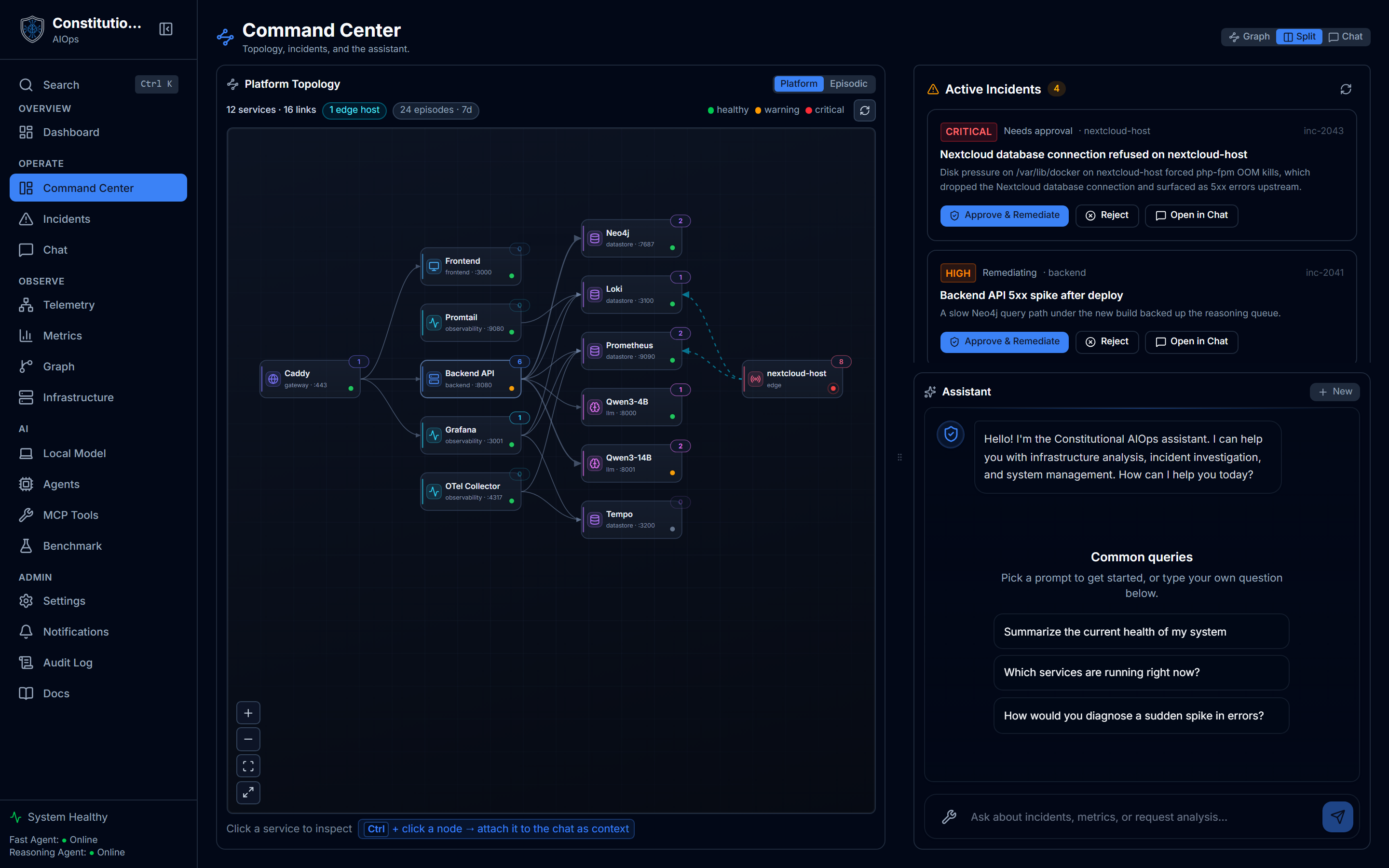
What you see
- The platform-topology graph, rendered through the schema stage. It draws top-down and shows the shape of your platform.
- An episodic toggle that swaps in the episodic view, rendered through the same stage with episodic colors, so incidents sit in the same layout as the topology.
- The embedded assistant, the same conversation experience as the Chat page.
How to use it
- Read the topology to orient yourself on what talks to what.
- Select a node or region. The selection rides along into the chat context, so the assistant is talking about the exact span the graph is showing. The default window is the last 168 hours, and the chat context matches it.
- Ask a question in the embedded assistant with that context already loaded.
- Flip to the episodic view to see recent incidents laid over the same structure.
Acting on a selected service

Picking a service turns the action bar into a set of one-click starting points. Diagnose, Recent logs, Dependencies, and Health each prefill a scoped question about that service, and its live CPU sits right on the bar so you see load while you investigate. A mutating action like Restart is marked "needs approval", so the same constitutional gate applies here as everywhere else.
Why one screen
Investigation is a loop of look, ask, look again. The Console removes the page switch from that loop. Because the chat context is tied to what the graph is showing, you do not have to describe the situation to the assistant. The selection already did.
Related
- Graph Explorer is the full-page, richer graph if you want to explore structure on its own.
- Chat is the same assistant as a dedicated page with a history sidebar.